Savor plan
Free
€0No billing interval
- 1 waiter
- 1 Reception
- 1 location
Service coordination for restaurants and cafes
Savor
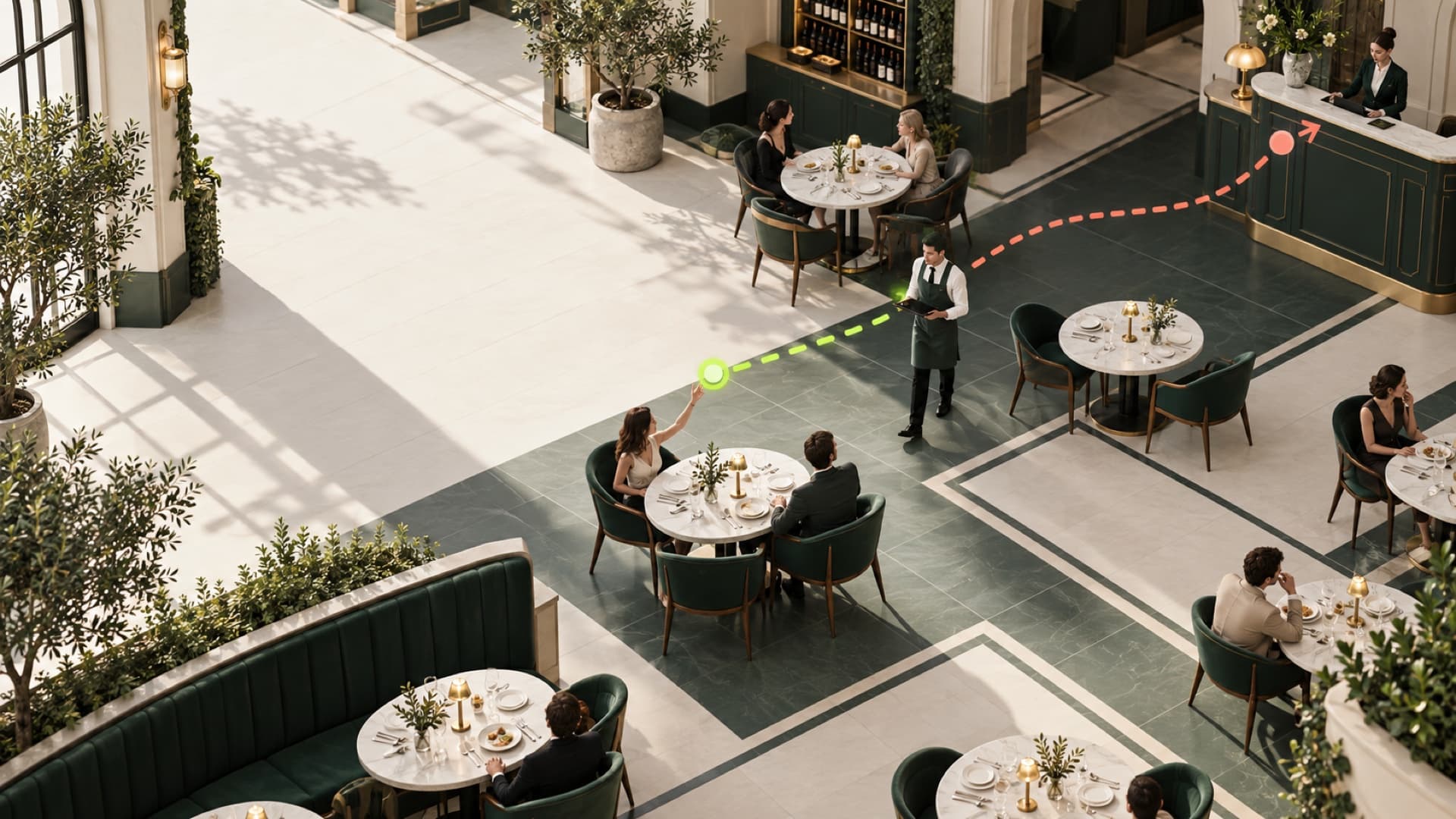
Turn table QR scans into clear requests, staff action, and live business oversight.
How Savor works
The product interfaces
Each person sees the part they can act on. The request stays connected from the guest’s table to the business record.
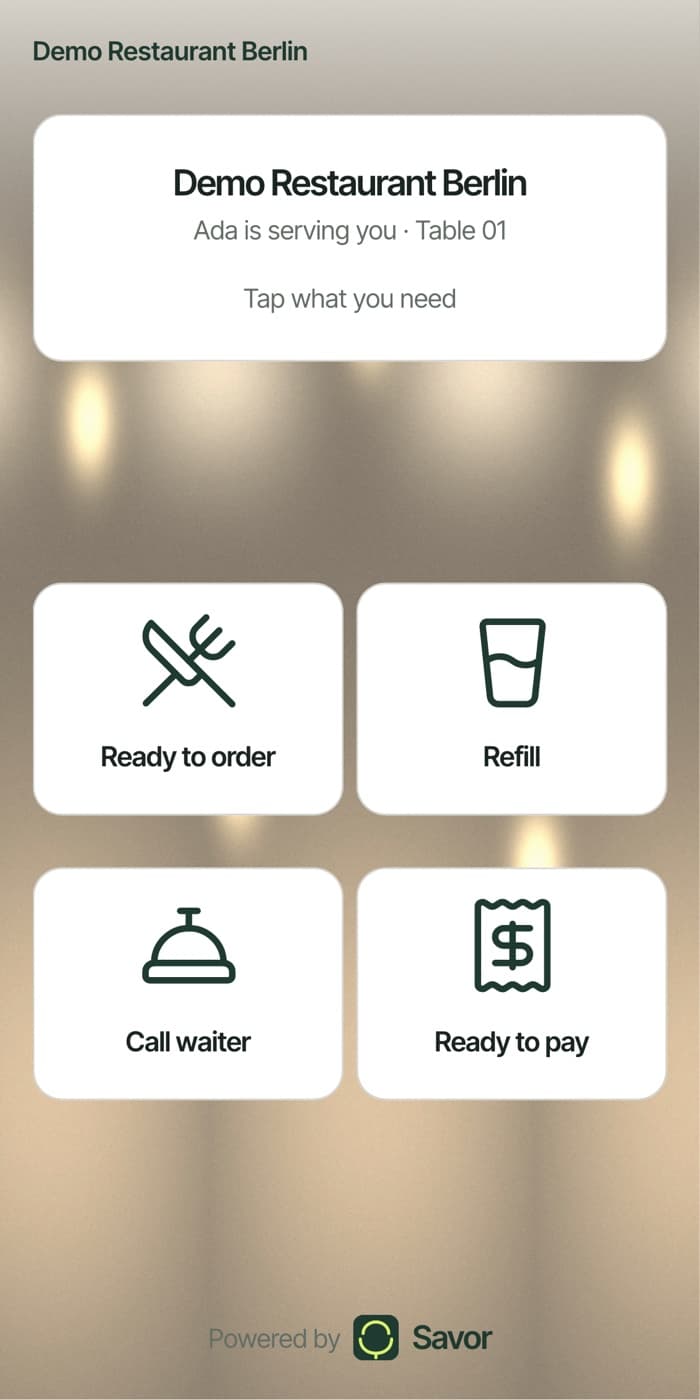
Guest
Create your business
Start with the team limits that fit your operation.
Your Savor account becomes the first business owner identity.
Set up the business yourself or ask Savor to help.
Enter the business, interfaces, staff needs, and table count.
Pricing
Savor plan
Savor plan
Best for a full service floor
Savor plan
Every plan is the whole product. Plans differ only in how many people can sign in, so you are never paying to unlock a feature your guests can see.
Before you decide
Short answers, and none of them require you to change how your kitchen or your till already works.
No. The QR code on the table opens a web page in whatever browser the phone already has. There is nothing to install, no account to make, and nothing to sign in to.
No. Savor carries service requests only — a guest asking for a refill, the bill, or a waiter. It does not take orders, hold a menu, or touch payments. Your POS keeps doing its job untouched.
The waiter has 60 seconds to accept, timed on our server rather than on anyone’s phone. If that window passes, the request appears on the Reception screen to be handed to someone else. It is never silently dropped, and the history is kept either way.
None. Waiters and Reception sign in on the phones and tablets you already own. The only new thing on the floor is a printed code on each table.
Each person gets a staff code and a PIN that expires at midnight in your own timezone, so yesterday’s PIN is worthless today. Deactivating someone takes one tap in your dashboard, and their history stays intact.
Each kind of request has a cooldown you set, so the same table cannot raise the same thing twice in a row. A guest also cannot cancel a request once it is in — only your team closes the loop.
Ready when your team is
One waiter, one table, no card. Add the rest of your team when it is earning its keep.